
Minecraft Image Converter for Photos, Portraits, and Creative Builds
Photo to Cartoon gives you a fast conversion experience built for real photos, not flat templates. Upload one image, keep the identity and mood, and turn it into a clean block-inspired style that feels playful, readable, and ready to share.
Minecraft Image Converter Tool
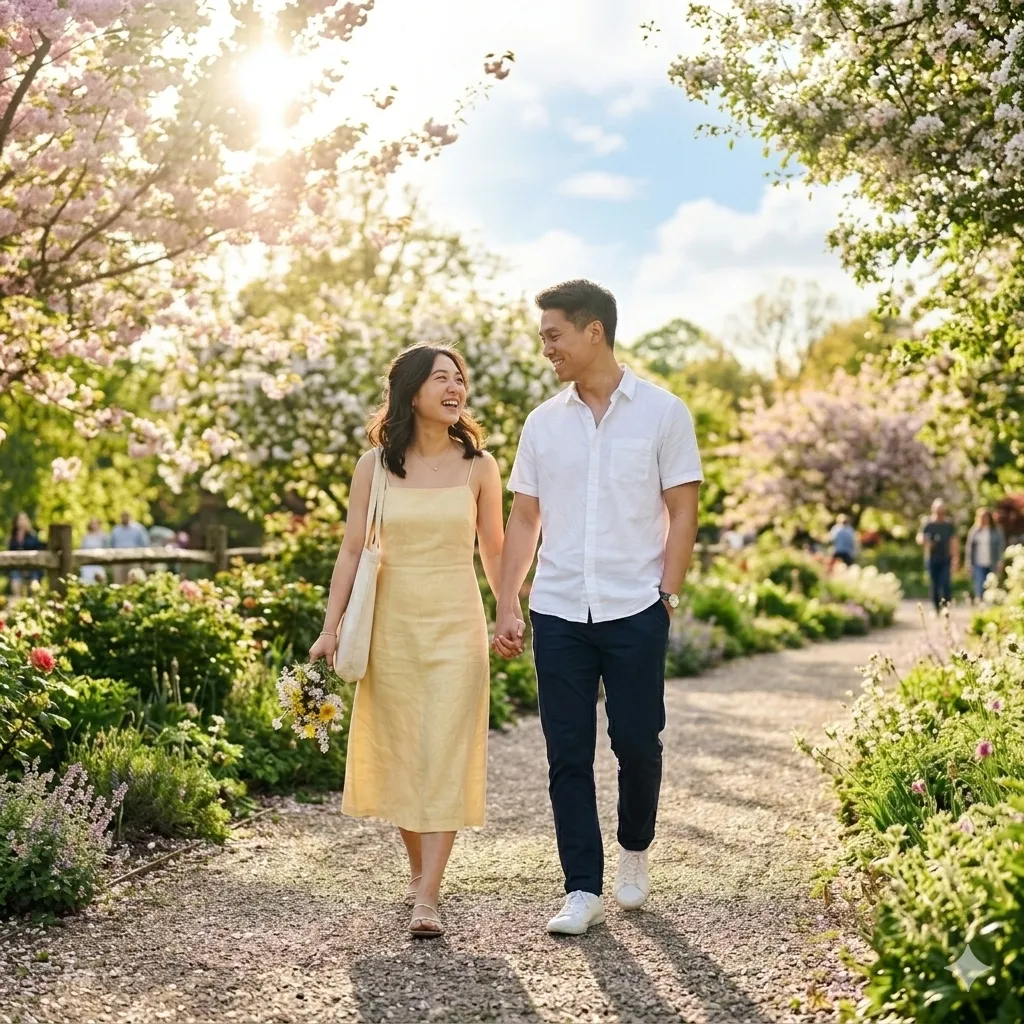
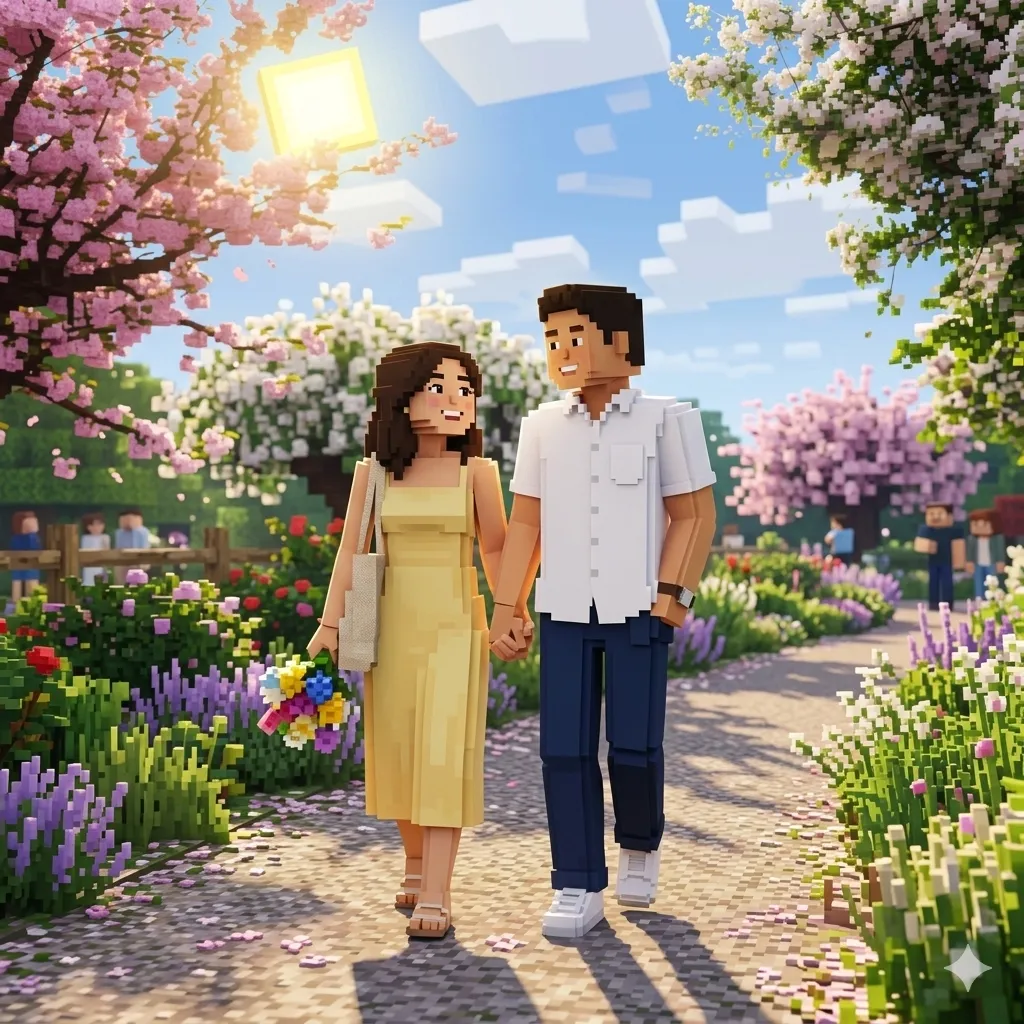
Why This Minecraft Image Converter Feels Better to Use
A strong minecraft image converter should do more than add square pixels. It should help you reach a final image that looks intentional, with stable structure, readable color blocks, and a character-focused style suitable for modern creator workflows.
Cleaner Character Focus
Great for portraits and profile shots where you want characters minecraft style outputs that keep expression and personality, not just rough mosaic noise.
Creative Range from One Input
From avatar-ready crops to wider compositions, the same upload can support image to minecraft ai art experiments for content calendars, gamer branding, and fan projects.
Practical Minecraft AI Generator Feel
You get the speed and simplicity users expect from a minecraft ai generator, with before/after comparison that makes editing decisions quick and transparent.
Where People Use Minecraft-Style Photo Conversion
This workflow fits both casual and professional scenarios. Whether you are posting for fun or building a consistent visual identity, block-style conversion gives your image an instant theme without heavy manual editing.
Gaming Avatars and Social Profiles
Use it as a minecraft portrait creator for profile pictures, stream overlays, and Discord identity sets that look consistent across channels.
Fan Art and Character Concepts
Turn selfies, cosplay, and sketches into characters minecraft style visuals for community posts, concept boards, and event graphics.
Creative Marketing and Thumbnails
Teams use ai image minecraft variants to create thumb-stopping campaign art that still preserves core subject recognition and brand color direction.
Photo to Cartoon Technology for Minecraft-Style Results
Under the hood, Photo to Cartoon combines structure analysis, regional color mapping, and style-aware simplification to generate consistent minecraft-like visuals. The process is optimized for natural source photos, so you can convert photo to minecraft image output that still feels intentional and readable instead of overly fragmented.
Structure-Aware Simplification
Key object boundaries are preserved first, then stylized into block-friendly shapes so face, hair, clothing, and background remain separated and easy to read.
Color Quantization with Intent
Instead of random posterization, local tones are grouped into a controlled palette that supports image to minecraft ai art aesthetics with cleaner transitions.
Consistent Output for Reuse
Whether you need one image or a batch, this converter aims for stable style behavior so your gallery looks coherent across posts.
How to Use the Minecraft Image Converter in 3 Steps
The workflow is straightforward and built for speed: upload, convert, and download. Each step is designed to help you reach a publish-ready image with minimal friction.
Upload Your Photo
Choose a clear image with visible subject contrast. Portraits, pets, and travel photos all work well for minecraft-style transformation.
Generate Block-Style Output
Click generate and let Photo to Cartoon convert photo to minecraft cartoon style in seconds. Use the side-by-side preview to verify key details before export.
Download and Share
Export the final image for profile use, content thumbnails, or creator kits. It is an easy way to convert photo to minecraft image assets at scale.
What You Get in This Minecraft Image Converter
From first upload to final export, every part of the experience is focused on dependable quality. You can treat it as a daily minecraft image converter, a quick minecraft ai generator, or a flexible minecraft portrait creator depending on your workflow.
Before/After Comparison
Check whether the generated style keeps enough identity before you download.
High-Resolution Export
Download clean files suitable for social posts, cover art, and campaign creatives.
Prompt-Aligned Style Behavior
Preset wording is optimized for ai image minecraft output with consistent block character.
Fast Generation
Move from raw upload to final creative in under a minute for most photos.
Secure Processing
Your uploads are processed through secure infrastructure with privacy-first handling.
Photo to Cartoon Ecosystem
Switch to other styles later while keeping the same product flow and quality standard.
Built for Real Creative Throughput
Creators and teams use our minecraft image converter every day for profile design, social content, and gaming-inspired artwork.
50K+ Images Processed
Images Processed
< 10s Typical Generation Time
Typical Generation Time
99.9% Service Availability
Service Availability
What Users Say About This Minecraft Image Converter
Feedback from creators who needed style quality without extra editing overhead.
I needed a minecraft image converter that did not wreck faces. Photo to Cartoon keeps my expression readable, and the final image works as both avatar and thumbnail.
Noah Miller, Gaming Creator
Noah Miller
Gaming Creator
We run weekly fan campaigns, and this tool helps us convert photo to minecraft cartoon visuals quickly. The style is consistent enough to keep our feed cohesive.
Sophie Reed, Community Manager
Sophie Reed
Community Manager
As a quick minecraft ai generator for concept posts, it saves a lot of time. I can test ideas, compare outputs, and ship art assets in one sitting.
Daniel Cho, Indie Developer
Daniel Cho
Indie Developer
I was looking for image to minecraft ai art output that still felt polished. This workflow gives me something usable without jumping between multiple editors.
Ava Patel, Design Student
Ava Patel
Design Student
Minecraft Image Converter FAQ
Answers to common questions about conversion quality, prompts, and best practices.
Build Your Next Look with the Minecraft Image Converter
Use Photo to Cartoon to create a fresh block-style identity in minutes. Upload a photo and generate your first result now.